Who can change your website, and the record that shows it.
Written for the compliance officer and IT. Who can do what, how a change gets from a request to the live site, what the AI assistant is and isn't allowed to touch, and the questions we still owe your vendor-management team.
do what
Marketing asks. Reviewers approve. Admins set the rules.
Everyone signs in with their own account, and every role is checked by the app itself, not by a menu that hides a button. Here is the whole chart.
| Action | Marketing | Reviewer | Admin | Assistant |
|---|---|---|---|---|
| Ask for a change and build a draftIn plain English, with a live preview. | Drafts what's asked | |||
| Edit the brand kitColors, fonts, voice, words to avoid. | ||||
| Approve someone else's changeApproving is what publishes it. | ||||
| Send a change back with a noteThe note lands in the requester's chat. | ||||
| Restore an earlier versionRecorded as a new published version. | ||||
| Set the approval rule and which checks applyPer site, in Settings. | ||||
| See everyone's activity | ||||
| Approve their own changeA change that needs approval needs a second person. | Never | Never | Never | Never |
- Nobody approves their own change, whatever their role. An admin who asks for a change still needs a reviewer or another admin to approve it.
- The assistant has no role at all. It works inside the request of the person who asked, and it can't approve, publish, restore or change a setting.
- Admins can switch off a check that doesn't apply to a site. That's a setting with a name on it, not something anyone can ask for in a chat.
from a chat
A chat makes a draft. Publishing is a separate step.
Every change collects in a draft that only your team can see. Getting it onto the live site takes a deliberate step, and the site's approval rule decides whether a reviewer has to say yes first.
- Someone asksMarcus types the change he wants, or points at the page.
- The assistant drafts and checksMakes the edit he asked for. Runs all 44 checks. A Must fix problem is never saved. The assistant fixes it and says what it changed.
- The whole draft is checked againBefore it can be sent for approval or published, not just change by change.
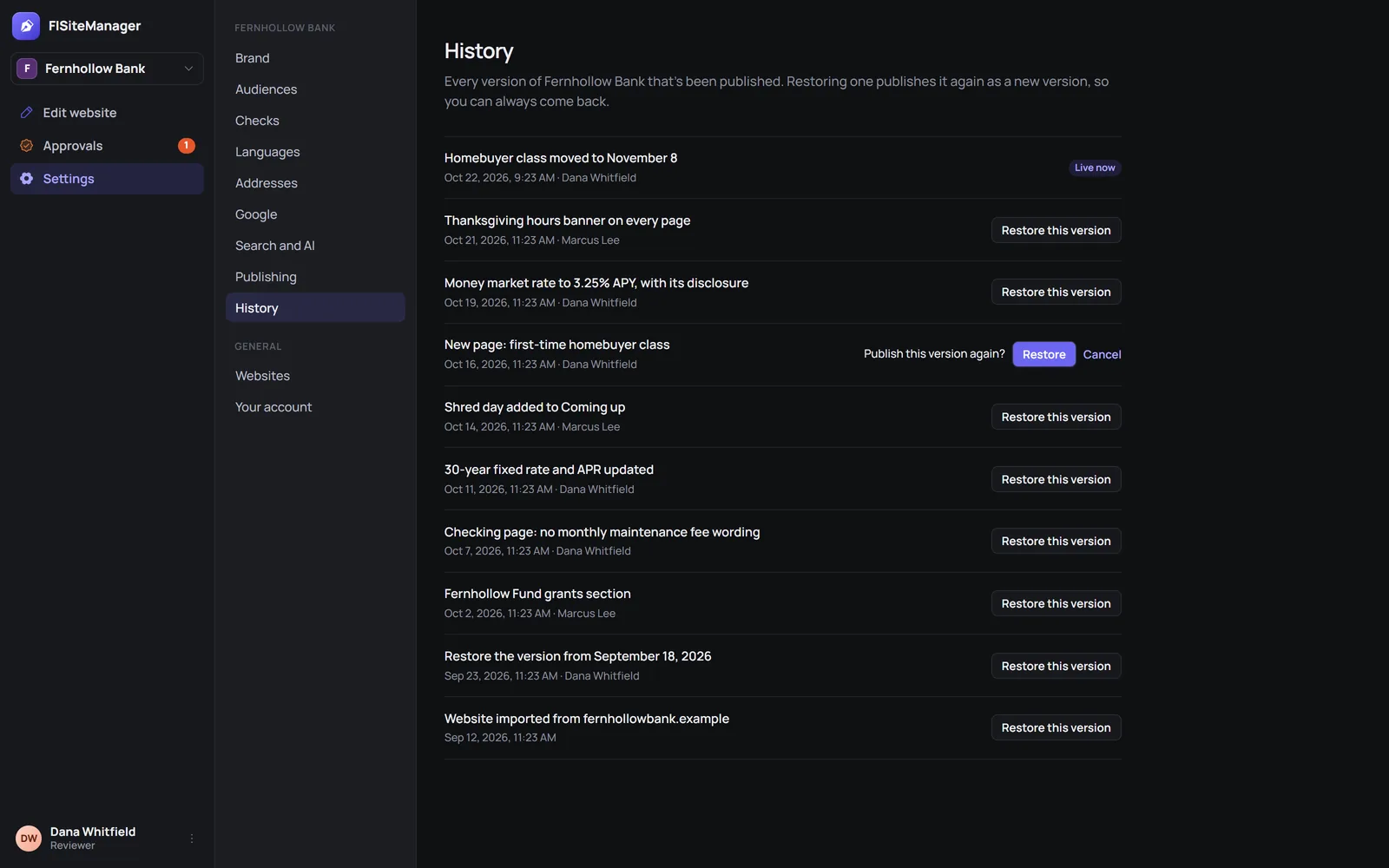
- A reviewer approves, or sends it backDana sees exactly what changed and why anything was flagged. Her approval publishes it.
- The version is keptWith who asked, who approved and what changed.
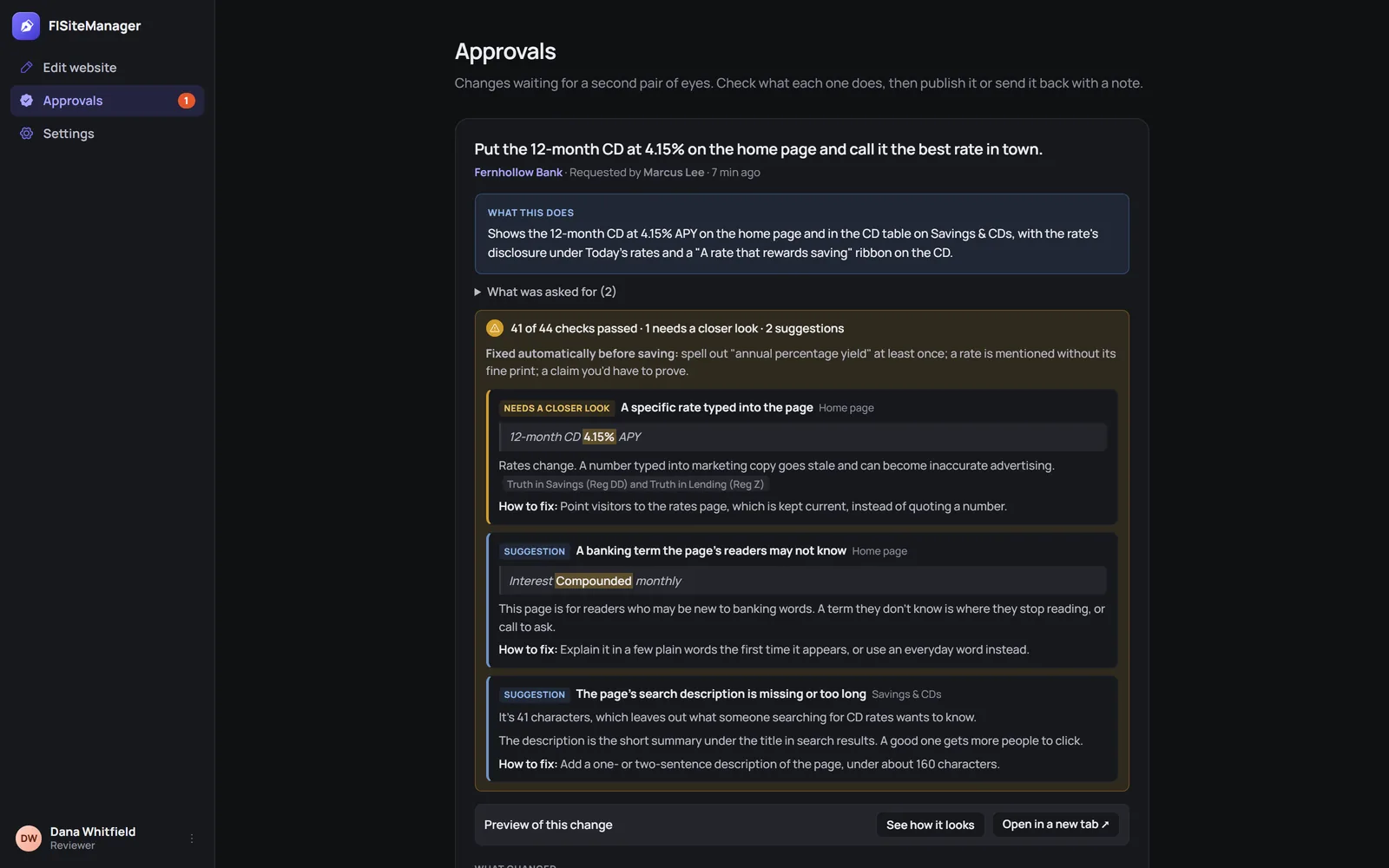
Every published version, kept. Any one, restorable.
When an examiner asks what the CD page said in March, and who signed off on it, you look it up instead of digging through email.
| Field | What it holds |
|---|---|
| What changed | A plain summary, like "Money market rate to 3.25% APY, with its disclosure", and the page-by-page Before/After. |
| Who asked | The person whose request produced the change. |
| Who approved | The reviewer or admin who signed off, when the approval rule required it. |
| When | The date and time it went live. |
- Before/After, change by change. A reviewer steps through "1 of 3, 2 of 3" and sees each change outlined on the page, not a wall of code.
- Restoring doesn't erase anything. It publishes the earlier version again as a new version, so the record keeps both, and you can always come back.
- Only reviewers and admins can restore, and the restore is recorded like any other change.
can and can't do
An assistant with a short leash, on purpose.
The assistant makes the edit a person asked for. Everything else, from approving to changing the rules it works under, stays with people.
Can · inside one draft
- Edit the site's filesOnly that site's, in an isolated workspace set up for that draft.
- Run the 44 checksOn every change, and fix Must fix problems before saving, telling you what it changed.
- SuggestHeadline options, a first draft of a page, a translation. Nothing is kept until a person picks it.
- ExplainWhat it changed and what it checked, in plain language, after every request.
Can't · ever
- PublishGetting a change live is a separate step a person takes.
- ApproveIt has no reviewer role, and no one approves their own change anyway.
- Change the brand kit or the approval ruleThose live in Settings. A request to change them in a chat doesn't work.
- Save a Must fix problemA missing disclosure or an unprovable claim never reaches the draft.
- Add outside tracking codeAd pixels and session recorders are blocked on bank and credit union sites. Your analytics are set once in Settings.
- Skip the checksAsking it to ignore them gets a plain no.
It works on your public website. That's the whole scope.
What we can say today, and, below it, what we haven't confirmed yet. We'd rather show you the open questions than paper over them.
- No connection to your core or online bankingFISiteManager works on the files of your public website. It doesn't connect to account systems and doesn't need customer or member data to do its job.
- Requests are processed by an AI model providerTo draft a change, your request, any screenshot you paste and the relevant site files are sent to the AI model provider that runs the assistant. Don't paste customer or member information into a request.
- One account per personEach person signs in with their own account, so every request and approval has a name on it. Single sign-on is not available yet.
- No ad pixels on your siteOutside tracking code is blocked on bank and credit union sites. Google Analytics, if you use it, is set once in Settings and kept on every page.
- The demo request form on this websiteGoes to our sales inbox and isn't sold. See the privacy policy.
What your vendor-management team will ask, and where we are.
These answers aren't final. We'll fill each one in, in writing, before we sign with anyone. If one of them decides it for you, ask us in the demo.
- Independent audit report (SOC 1 or SOC 2).Not available today. Our plan and timing: to be confirmed.
- Where data is stored and processed.Country and region for the app, its database and site hosting: to be confirmed.
- Subprocessors, including the AI model provider.A full list with what each one receives: to be confirmed.
- Whether the AI model provider keeps or trains on your requests.To be confirmed, with the provider's terms.
- Encryption in transit and at rest.To be confirmed for each part of the service.
- Incident notification.How fast we tell you, and how: to be confirmed.
- Data retention and deletion.How long drafts, chats and the version record are kept, and what's deleted when you leave: to be confirmed.
- Single sign-on and multi-factor sign-in.Not available yet. Timing: to be confirmed.
- Business continuity and backups.Backup frequency and recovery targets: to be confirmed.
Questions from IT and compliance.
- Can someone in marketing push a change live without compliance seeing it?
- Only if your admin chose that. With the approval rule set to Every change, nothing goes live until a reviewer approves it, and nobody approves their own change.
- Does the assistant guarantee our pages are compliant?
- No, and we won't claim it does. The checks catch the repeat problems, like a rate without its disclosure or a missing deposit insurance notice, and flag what a person should look at. Your reviewer still decides.
- What if someone tells the assistant to ignore the checks?
- It says it can't, and the checks run anyway. They run outside the conversation, on every change and again on the whole draft.
- Can we show an examiner what changed, and when?
- Every published version is listed in History with its date and a plain summary of the change. Any one of them can be restored, which puts it back live as a new version.
- Can marketing turn off a check that keeps flagging something?
- No. Only an admin can switch a check off for a site, in Settings.
- Do you have a SOC 2 report?
- Not today. See the list above for what's still to be confirmed. We'd rather tell you that now than in the third meeting.
Change your website today. Not after the next agency ticket.
A 30-minute demo on a site like yours. Bring whoever signs off.